
Black Friday: 50% Off Lifetime
Hey everybody! Last time I said multiple notepads were coming. They're here, along with four releases' worth of other things. But first:
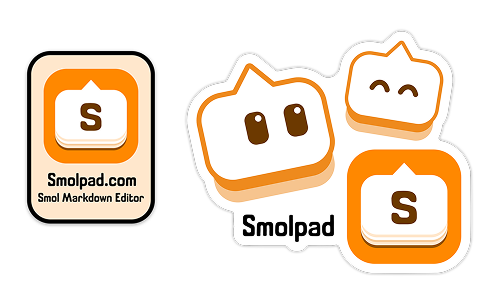
We made stickers, and they're free
Tell me where to send an envelope and I'll mail one to you. No purchase and no catch, while supplies last.
Your address is used to mail that one envelope and for nothing else, and it deletes itself 45 days after you ask.
If one ends up somewhere good, show me on Mastodon at: @smolpad@baconworks.social.
New since the last newsletter
Smolpad has had four releases since October. All four are out on Mac, iPhone and iPad.
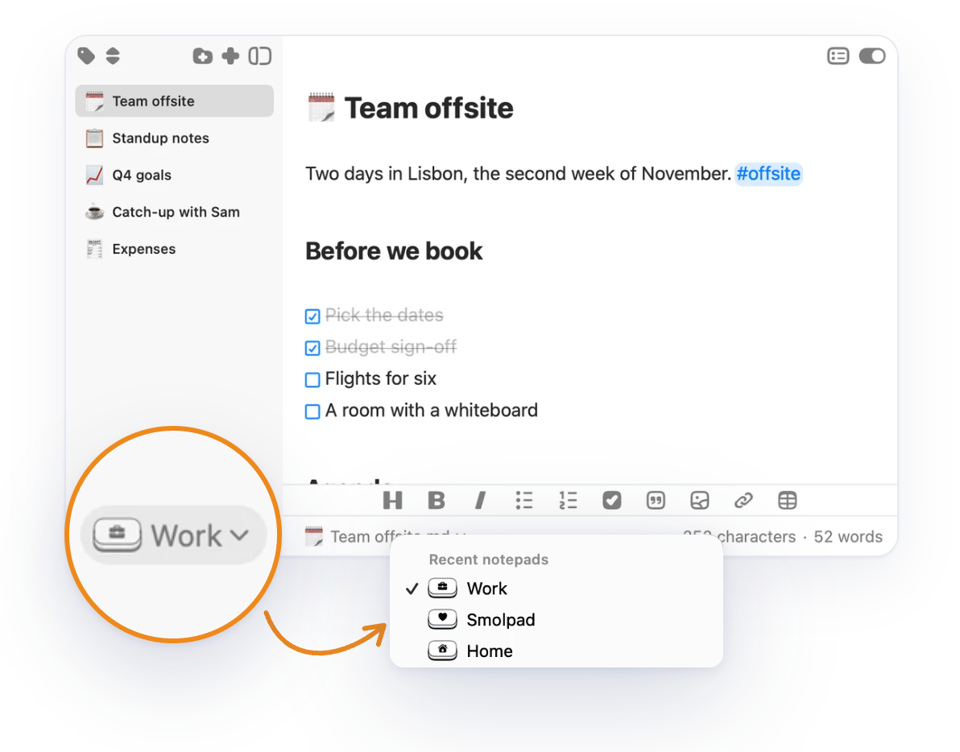
Notepads (Pro)
A notepad is a separate set of notes with its own folders, Trash and history. Trash allows you to restore deleted files on iOS. At the bottom of the window, a notepad pill lets you switch notepads. Keep work apart from home, or a project apart from everything else.
- Any folder on your Mac can be a notepad. Point Smolpad at an Obsidian vault or a folder of exports and it edits the files right there, with a copy that syncs to your iPhone and iPad.
- Import from Bear. A Bear export becomes a new notepad, pictures and dates included.
- Move a note or a folder to another notepad. It goes with its pictures and its history.
Additional New Features
- Sync can be turned off. Notes can stay on one device, with no cloud involved.
- Cards. In addition to list view, see your notes as cards, each with its title and first lines, or its picture.
- Folders nested inside folders.
- Resize the notes list and the outline (Mac and iPad). Drag the edge to the width you want.
Editor Improvements
- Type a slash for formatting. A slash at the start of a line opens a list of headings, lists, tables and more.
- Tables you can work on. Add, delete and move rows and columns, or move the whole table, without touching the Markdown.
- Code blocks look the part. Each sits on its own panel in your theme's colors, with a Copy button.
- Take a photo straight into a note (iPhone and iPad). Camera sits between Photos and Files under the image button. A photo taken with the phone held upright keeps its shape now.
- Checked tasks move to the bottom of their list. What is left to do stays on top, and Clear Completed Tasks sweeps the rest away, with Undo.
- Text Width. In a wide window and on iPad, a note's lines stop at a readable length, in the width you choose.
- Line spacing and Paragraph spacing. Two new sliders set the room between lines and between paragraphs.
- Put the formatting toolbar away. On iPhone and iPad, swipe it down behind the keyboard for more room. On the Mac it folds into a small round button.
New on the Mac
- Smolpad widgets (Pro). Open Note and Recently Edited come to the desktop and Notification Center, in your editor theme.
- Quick Look for Markdown. Select a .md file in Finder and press Space.
- The note's title is a button. Click it for the file's path, word and character counts, Rename, Copy Path and Show in Finder.
- Pin or detach the menu bar popup. One click turns it into a window of its own, and Pin keeps it on top.
And even more...
- Smolpad speaks Japanese and Simplified Chinese now. The app, its widgets, the Apple Watch app and Siri follow a device set to either.
- Half open, the iPhone Duo works like a laptop. The note faces you above the fold and your notes sit below it.
- Notes keep syncing after you leave Smolpad (iPhone and iPad). With Dropbox, pCloud or Google Drive, an edit goes up in the background and your other devices' changes are already there when you come back.
- Updated widget: Check a task from the Home Screen (Pro). Tap a task's box in the Open Note widget, without opening Smolpad.
- The daily note can live in any notepad (Pro). Pick the notepad today's note is made in via Settings.
Black Friday: Lifetime for $14.99
Smolpad Pro Lifetime is $14.99 through December 1, 2026; was $29.99. One lifetime purchase covers Mac, iPhone, iPad and Apple Watch, with no subscription. Redeem it with this link:
Get Smolpad Pro Lifetime for $14.99
Questions or feedback? Always happy to help. https://feedback.smolpad.com/
Cheers! Gary @ Smolpad

